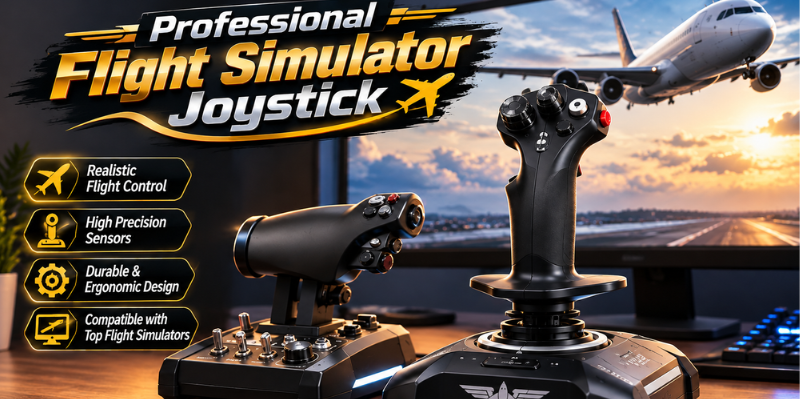
A Professional Flight Simulator Joystick is one of the most important tools for anyone who wants to enjoy a realistic flight simulation experience. Whether you’re a beginner learning the basics or an experienced virtual pilot practicing advanced maneuvers, the right joystick can dramatically improve precision and immersion. Modern flight simulation hardware has evolved significantly, offering realistic controls, customizable buttons, and premium build quality. In this guide, you’ll learn everything you need to know before investing in the perfect professional flight simulator joystick.
Why a Professional Flight Simulator Joystick Matters
Flying with a keyboard or a standard game controller can only provide a limited experience. A dedicated flight simulator joystick is specifically designed to replicate the feel and responsiveness of aircraft controls.
Professional-grade joysticks offer smoother movement, greater accuracy, and realistic resistance that helps simulate actual flying conditions. This makes every takeoff, landing, and mid-air maneuver feel more authentic.
Whether you’re using Microsoft Flight Simulator, X-Plane, DCS World, or Prepar3D, a quality joystick enhances overall control and enjoyment.
Benefits of Using a Flight Simulator Joystick
- Superior precision during flight.
- Better immersion for realistic simulation.
- Improved control during takeoffs and landings.
- Customizable buttons for quick commands.
- Enhanced comfort during long simulation sessions.
- Longer durability compared to standard controllers.
Essential Features to Look for in a Professional Flight Simulator Joystick
Not every joystick offers the same level of performance. Understanding the important features can help you choose the right model for your needs.
Precision Sensors
High-end joysticks typically use Hall Effect or magnetic sensors instead of traditional potentiometers. These sensors provide exceptional accuracy while reducing wear over time.
Adjustable Resistance
Professional pilots often prefer adjustable tension because it allows them to customize the stick’s responsiveness according to different aircraft types.
Programmable Controls
Extra buttons, switches, triggers, and hats can be assigned to landing gear, flaps, cameras, communication systems, and autopilot functions.
Comfortable Ergonomics
Since many flight sessions last several hours, ergonomic grips and comfortable hand positioning become extremely important.
Throttle Integration
Some joysticks include an integrated throttle, while others allow separate throttle quadrants for more advanced cockpit setups.
Build Quality
Premium materials such as metal construction, reinforced plastics, and high-quality switches significantly increase the joystick’s lifespan.
Choosing the Right Professional Flight Simulator Joystick
Before making a purchase, consider how you plan to use your simulator.
Beginner Flight Simulation
If you’re new to aviation simulation, look for a joystick that combines affordability with reliable performance. Integrated throttle controls and plug-and-play compatibility are ideal for learning.
Intermediate Virtual Pilots
Pilots with some experience often benefit from additional programmable buttons, smoother sensors, and improved ergonomics.
Advanced Flight Simulation Enthusiasts
Serious simmers may invest in modular HOTAS (Hands On Throttle And Stick) systems, rudder pedals, and dedicated cockpit controls to achieve the highest level of realism.
Compatible Flight Simulation Games and Software
One major advantage of a Professional Flight Simulator Joystick is broad compatibility across leading simulation platforms.
Popular simulators include:
- Microsoft Flight Simulator
- X-Plane
- DCS World
- Prepar3D
- IL-2 Sturmovik
- War Thunder
- Elite Dangerous
- Star Citizen
Many premium joysticks also support Windows-based simulation software with customizable driver utilities for advanced control mapping.
Tips for Setting Up Your Flight Simulator Joystick
Even the best joystick requires proper configuration for optimal performance.
Calibrate Before Flying
Calibration ensures accurate axis movement and eliminates unwanted drift.
Customize Button Mapping
Assign frequently used controls to easily accessible buttons for faster operation.
Adjust Sensitivity
Different aircraft require different sensitivity settings. Experiment until you find a comfortable balance.
Update Firmware
Manufacturers regularly release firmware updates that improve stability, compatibility, and performance.
Maintain Your Equipment
Clean the joystick regularly and avoid excessive force during operation to maximize its lifespan.
Common Mistakes to Avoid When Buying a Flight Simulator Joystick
Many first-time buyers focus only on price, overlooking features that significantly affect long-term satisfaction.
Common mistakes include:
- Buying without checking simulator compatibility.
- Ignoring ergonomics.
- Choosing too few programmable controls.
- Overlooking sensor technology.
- Forgetting future upgrade options.
- Purchasing low-quality products with poor durability.
Taking time to compare specifications can prevent unnecessary upgrades later.
How a Professional Flight Simulator Joystick Improves Training
Flight simulation isn’t just entertainment. Many aviation students use realistic simulator controls to practice procedures before entering real aircraft.
A quality joystick helps users develop:
- Better hand-eye coordination.
- More precise aircraft handling.
- Improved landing techniques.
- Better understanding of flight dynamics.
- Muscle memory for cockpit procedures.
Although home simulators cannot fully replace certified aviation training devices, they are excellent supplementary learning tools.
Is a Professional Flight Simulator Joystick Worth Buying?
For aviation enthusiasts, the answer is almost always yes.
A premium joystick transforms the entire simulation experience by making every flight more accurate, engaging, and enjoyable. Instead of struggling with awkward keyboard controls, you’ll experience smooth and natural aircraft handling that closely resembles real-world flying.
While entry-level models may be sufficient for casual users, investing in higher-quality equipment often delivers years of dependable performance and greater immersion.
Frequently Asked Questions
What is the best Professional Flight Simulator Joystick for beginners?
A beginner should choose a joystick with smooth controls, integrated throttle functionality, reliable sensors, and simple plug-and-play installation. Ease of use is more important than having numerous advanced features.
Does a Professional Flight Simulator Joystick work with Microsoft Flight Simulator?
Yes. Most modern professional flight simulator joysticks are fully compatible with Microsoft Flight Simulator and other popular simulation platforms.
Are Hall Effect sensors better than traditional sensors?
Yes. Hall Effect sensors are generally more accurate, smoother, and longer lasting because they use magnetic technology instead of physical contact.
Should I buy a separate throttle with my joystick?
If you plan to enjoy advanced aircraft simulation or military flight simulators, a separate throttle provides greater realism and more precise control.
How long does a quality flight simulator joystick typically last?
A well-built professional joystick can easily last several years with proper care, regular cleaning, and firmware updates.
Conclusion
Choosing the right Professional Flight Simulator Joystick can completely transform your virtual flying experience. From improved aircraft control to greater immersion and long-term reliability, a quality joystick is an investment that pays off with every flight. Consider your experience level, preferred simulators, and desired features before purchasing. With the right equipment, you’ll enjoy smoother, more realistic flights while developing valuable flying skills.
Stay in touch to get more updates & alerts on techeeradar.com! Thank you