
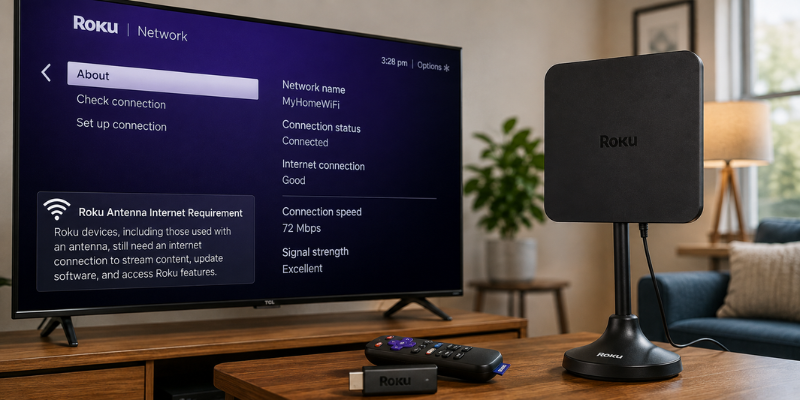
If you are searching for the Roku antenna internet requirement, there is a simple answer with one important detail: an antenna receives local broadcast channels through the air, not through your internet connection. However, Roku TVs still have internet requirements for initial setup and certain smart features. Roku confirms that its branded TVs require an internet connection during setup, while Live TV through an antenna can be used without Wi-Fi afterward.
That distinction can save you from paying for internet service you do not actually need for local broadcast television. Here is what you need to know before connecting an antenna to your Roku TV.
Roku Antenna Internet Requirement Explained: Do You Need Wi-Fi?
An HDTV antenna and an internet connection perform completely different jobs.
The antenna receives over-the-air signals transmitted by local television stations. Those signals travel from broadcast towers to your antenna and then into the TV through a coaxial cable.
Internet, on the other hand, is used by Roku’s smart-TV features, streaming apps, software updates, account services, and certain program-guide features.
According to Roku’s current support information, a Roku TV must be connected to the internet to complete setup. Once setup is finished, the TV can be disconnected and still be used for Live TV through an antenna or for content coming from HDMI devices.
So, you do not need internet to receive the actual antenna signal, but you may need internet initially to set up the Roku TV.
Roku Antenna Setup: What You Need to Watch TV
Getting free local channels on a Roku TV is relatively straightforward.
You generally need:
- A compatible HDTV antenna
- A coaxial cable
- A Roku TV with an antenna/Live TV input
- A power source if your antenna requires amplification
- Access to local over-the-air broadcast signals
Roku’s setup instructions say to connect the antenna’s coaxial cable to the TV’s Ant/Cable In port and then use the Live TV option to scan for available channels.
The number of channels you receive depends heavily on your location, nearby broadcast towers, buildings, terrain, and antenna placement. Moving an antenna closer to a window or positioning it higher can sometimes make a surprisingly large difference.
Roku antenna internet requirement: Can You Watch Local Channels?
After the Roku TV has been properly set up, you can disconnect it from the internet and continue watching Live TV through an antenna. Roku specifically states that its TVs can be used without Wi-Fi for Live TV via antenna after setup.
This is particularly useful if you are trying to reduce monthly internet expenses or have a television in a room where Wi-Fi is unavailable.
For example, imagine you have an antenna connected to your Roku TV and receive several local broadcast stations. Your internet service goes down during a storm. You may lose Netflix, YouTube, and other streaming services, but the antenna channels can continue working because they do not depend on your home internet connection.
The antenna is receiving the television signal directly from the broadcaster.
Roku Internet Requirement: Which Features Need Wi-Fi?
Although antenna TV itself does not rely on internet service, many Roku features do.
You will need an internet connection for activities such as:
- Streaming Netflix and other online services
- Downloading or updating streaming apps
- Roku account-related features
- Software updates
- Online search and recommendations
- Internet-based program information
- Certain Live TV guide features
Roku notes that its Live TV Channel Guide requires the Roku device to be connected to the network and internet for detailed live-streaming listings. Without that connection, you can still access a basic channel list, but detailed over-the-air program information is limited.
That means losing Wi-Fi does not necessarily mean losing your antenna channels. It mainly limits the smart features surrounding them.
Roku TV Antenna Setup: How to Scan for Channels
Once your Roku TV has completed its initial setup, connecting an antenna is fairly simple.
Start by plugging the antenna’s coaxial cable into the Ant/Cable In port on the television. If you have an amplified antenna, make sure its amplifier is properly powered.
Next, open the Live TV option on your Roku TV and follow the on-screen instructions to scan for channels. Roku recommends rescanning if you move the antenna because the TV needs to search again for available broadcasts.
For better reception, try:
- Placing the antenna near a window
- Positioning it higher in the room
- Keeping it away from thick walls and large metal objects
- Moving it away from certain electronic devices
- Rescanning after changing its position
A common mistake is assuming that a more expensive antenna automatically means more channels. In many homes, antenna placement matters just as much as the antenna itself.
Roku TV Without Internet: What Still Works?
This depends on the specific Roku TV and its setup requirements.
Roku’s current documentation says Roku-branded TVs require internet access to complete setup. After setup, the TV can be disconnected and used for antenna Live TV or HDMI-connected devices.
Some Roku TV systems may offer an option to connect to the internet later, although Roku notes that this option is not available on every system.
Therefore, if you have just purchased a Roku TV and do not have internet service, check the setup instructions for your particular model rather than assuming every Roku TV behaves identically.
Once setup is complete, an antenna can provide a useful way to watch local broadcasts without maintaining an internet connection.
Roku Antenna vs. Streaming: What Is the Difference?
It helps to think of your Roku TV as two televisions in one.
The first is the traditional television side. An antenna provides broadcast channels directly to the tuner.
The second is the smart-TV side. Roku connects to the internet and gives you access to streaming services and online features.
Here is the basic difference:
| Feature | Antenna | Internet |
|---|---|---|
| Local broadcast channels | Yes | No |
| Netflix and similar apps | No | Yes |
| YouTube | No | Yes |
| Over-the-air channel reception | Yes | No |
| Roku software updates | No | Yes |
| Streaming content | No | Yes |
| Basic antenna channel list | Yes | Yes |
| Detailed online program information | Limited | Yes |
This setup gives you flexibility. You can use an antenna for local broadcasts while relying on internet service only when you want streaming content.
Roku Antenna Troubleshooting: Fixing Channel Problems
If your Roku TV says it cannot find channels, do not immediately assume that the internet connection is the problem.
Start with the physical antenna connection. Make sure the coaxial cable is securely connected to the TV’s Ant/Cable In port.
Then run another channel scan. If you recently moved the antenna, rescanning is especially important.
If the TV still finds very few channels, experiment with the antenna’s position. Roku recommends placing it higher, near a window, and away from obstacles such as concrete, metal, and large buildings.
For amplified antennas, also check the power connection. Roku warns that an unpowered amplifier can interfere with reception, while an excessively strong signal can sometimes overload the tuner.
In other words, poor antenna reception and poor internet reception are two separate problems.
Frequently Asked Questions
Does Roku require internet for an antenna?
The antenna itself does not require internet because it receives over-the-air broadcast signals directly. However, Roku says its branded TVs require internet during initial setup. After setup, antenna Live TV can be used without an internet connection.
Can I watch local channels on Roku without Wi-Fi?
Yes. After the Roku TV has completed its required setup, you can disconnect it from Wi-Fi and continue watching local channels received through a connected antenna. Streaming applications and internet-dependent features will not work while offline.
Does an antenna give free channels on Roku?
An antenna can receive free over-the-air broadcasts from local stations within reception range. The exact channels available depend on your location and signal conditions. Roku recommends scanning for channels after connecting the antenna.
Why does my Roku antenna say no channels found?
Check the coaxial connection first, then reposition the antenna and run another channel scan. Placing the antenna higher or near a window may improve reception. Roku also recommends keeping antennas away from certain obstacles and electronic devices that can interfere with reception.
Do I need internet for the Roku Live TV Guide?
For detailed Live TV Channel Guide information, yes. Roku says the guide requires a network and internet connection. Without internet, you can still watch antenna channels and access a basic channel list, but detailed program information may be limited.
Conclusion
The Roku antenna internet requirement is easier to understand once you separate broadcast television from streaming. Your antenna receives local channels directly, so the actual broadcast signal does not depend on Wi-Fi. However, Roku TVs require internet for initial setup, while streaming apps, software updates, and detailed online guide features also need a connection.
If your main goal is watching local broadcast channels, an antenna can be a practical way to reduce your dependence on paid streaming services. The key is choosing a suitable antenna and positioning it correctly for your location.
Stay in touch to get more updates & alerts on site! Thank you